What is subcontractor compliance software, and what should it actually do?
By Sergio Jardim · 8 September 2026
What does subcontractor compliance software actually do? Learn which document tracking, review, expiry and reminder features matter, and which may be unnecessary.
“Subcontractor compliance software” sounds more sophisticated than the problem many businesses are actually trying to solve.
Often, the problem is much simpler:
We require certain documents from our subcontractors. We need to know whether we have them, whether we have reviewed them, when they expire and who needs chasing.
That is an important distinction.
Software can organise requirements, collect evidence, track dates and make gaps visible.
It cannot automatically know every legal, contractual or industry obligation that applies to every subcontractor in every situation.
So what should subcontractor compliance software actually do?
For many small and mid-sized organisations, the answer is not “everything”.
It is a focused set of document-management jobs done reliably.

Photo 01
What is subcontractor compliance software?
In practical terms, subcontractor compliance software is a system used to manage the documents and evidence an organisation requires from subcontractors.
A typical workflow looks like this:
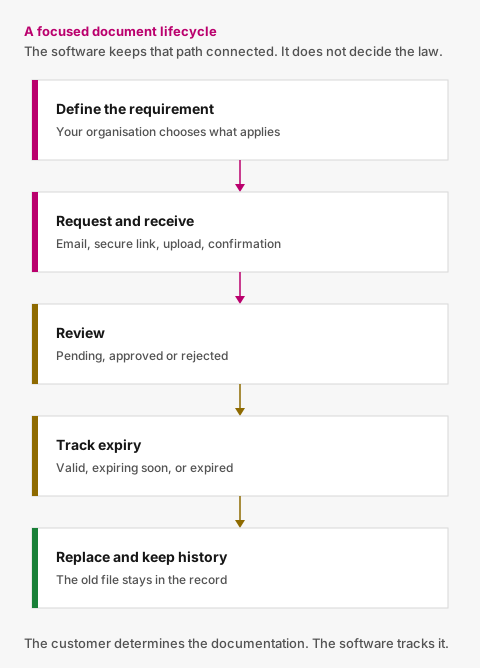
Figure 01
Define requirement
→ Request document
→ Receive submission
→ Review it
→ Approve or reject it
→ Track expiry
→ Request a replacement
→ Preserve the history
The software keeps that lifecycle connected.
Without a dedicated system, those steps often happen across:
- a subcontractor spreadsheet;
- email;
- a shared folder;
- calendar reminders; and
- individual staff members' knowledge.
The value of the software is not simply putting those things on a new screen.
It is making the current state of each requirement understandable and turning predictable events into actions.
First: be careful with the word “compliance”
The word can create the wrong expectation.
Suppose your organisation requires three documents from a subcontractor:
- Public Liability Insurance;
- Company Registration; and
- a Safety Certificate.
All three have been received, reviewed and are current.
Operationally, your system may reasonably show:
All configured requirements satisfied.
Some products may describe that status as:
Compliant
But that should not be confused with a legal conclusion that the subcontractor complies with every law, regulation, contractual obligation or industry requirement that could apply.
Those are different things.
A useful system should make that boundary clear.
The customer determines what documentation it requires. The software tracks whether those configured requirements have been satisfied.
That is a much more defensible—and useful—job for software.
1. It should let you define your own document requirements
Your organisation should be able to say:
These are the company-level documents we require from this subcontractor.
Different subcontractors may have different requirements.
For example, an organisation might track:
- insurance certificates;
- company registrations;
- quality certificates;
- environmental certificates;
- trade licences;
- safety certifications; or
- other customer-specific documentation.
The software should not pretend that one generic checklist applies to everyone.
Instead, it should let your organisation define what it needs.
For each document type, useful configuration may include:
- name;
- instructions;
- whether an expiry date is required;
- whether an issue date is required;
- whether a reference number is required; and
- whether the requirement should normally apply to new subcontractors.
That is enough structure for many SMB workflows without introducing a full form builder.
2. It should show what each subcontractor is currently missing
Once requirements have been assigned, the system should answer a simple question:
What needs attention?
You should not need to open six folders and compare them with a spreadsheet.
For each requirement, a clear status might be:
- Missing;
- Pending review;
- Valid;
- Expiring soon; or
- Expired.
And at subcontractor level, you should be able to distinguish companies that:
- require action;
- have documents awaiting review;
- have upcoming expiries; or
- currently satisfy all configured requirements.
That visibility is one of the main reasons to move away from spreadsheets.
3. It should make document requests easy
Finding a gap is only the beginning.
Someone still needs to get the document.
A good system connects the missing requirement with the request.
For example:
ABC Electrical has 3 documents requiring attention.
Then show exactly which three.
The subcontractor should have a straightforward way to respond.
For occasional external users, that does not necessarily mean creating another portal account.
A secure request link can provide a much simpler experience:
Email → secure link → upload → confirmation
The subcontractor sees only what your organisation needs from them and can respond directly.
4. It should separate “received” from “approved”
A common weakness in document trackers is treating the presence of a file as success.
But receiving a PDF does not tell you whether somebody has checked it.
A useful review workflow should distinguish:
Pending review
A submission has arrived.
Approved
An authorised user has accepted it for the configured requirement.
Rejected
The document is unsuitable and a replacement is required.
If it is rejected, the reviewer should be able to record why.
For example:
Certificate is for the wrong company.
This creates a much clearer process than silently deleting the file or replacing a status cell in Excel.
5. It should track expiry dates as active information
Expiry dates should not sit passively inside PDFs.
If a date matters, the system should be able to act on it.
For example:
More than 30 days remaining
Valid
Within 30 days
Expiring soon
Past the expiry date
Expired
The exact warning period may vary by product or organisation.
The important point is that expiry becomes part of the workflow.
Your team should not need to periodically inspect every document to discover what changed.
6. It should automate routine follow-up
This is where subcontractor compliance software can deliver significant administrative value.
If a document is missing, the system can remind the subcontractor.
If a certificate approaches expiry, it can request a replacement.
If there is still no response, it can follow up again.
But good reminder automation also understands when not to send a message.
Suppose a replacement has already been uploaded and is waiting for your team to review it.
The subcontractor has done what you asked.
Continuing to send expiry reminders would be unnecessary.
The workflow should move from:
Subcontractor action required
to:
Internal review required.
That distinction matters.
7. It should preserve document history
When a certificate is replaced, the old version should not simply disappear.
A useful history might show:
Current
2027 certificate
Approved
Expires 30 November 2027
Previous
2026 certificate
Approved
Expired 30 November 2026
Rejected submission
Uploaded 10 November 2026
Rejected — Company name does not match
That history makes the system more useful as an operational record.
It also prevents the familiar shared-folder problem:
certificate.pdf
certificate-new.pdf
certificate-new-final.pdf
certificate-USE-THIS.pdf
8. It should keep a useful activity record
If someone asks:
Who approved this?
or:
When did we ask for the replacement?
the answer should not require an inbox search.
Useful business events to record include:
- requirement added;
- document request sent;
- reminder sent;
- document uploaded;
- document approved;
- document rejected;
- document expired;
- subcontractor archived.
You do not need to log every button click.
Record the events someone may reasonably need to understand later.
9. It should give your team an exception-based dashboard
The objective of a dashboard should not be to create impressive charts.
It should tell your team where to act.
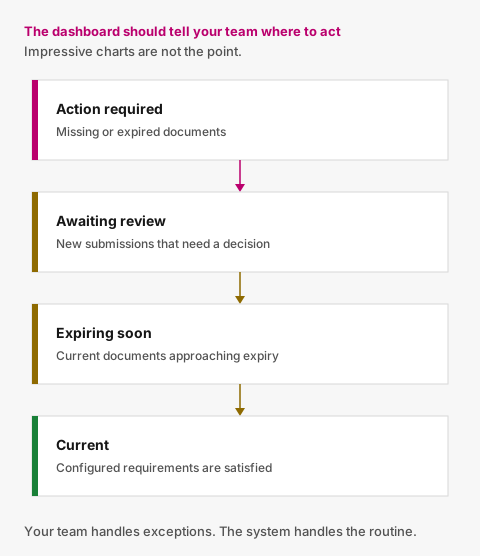
Figure 02
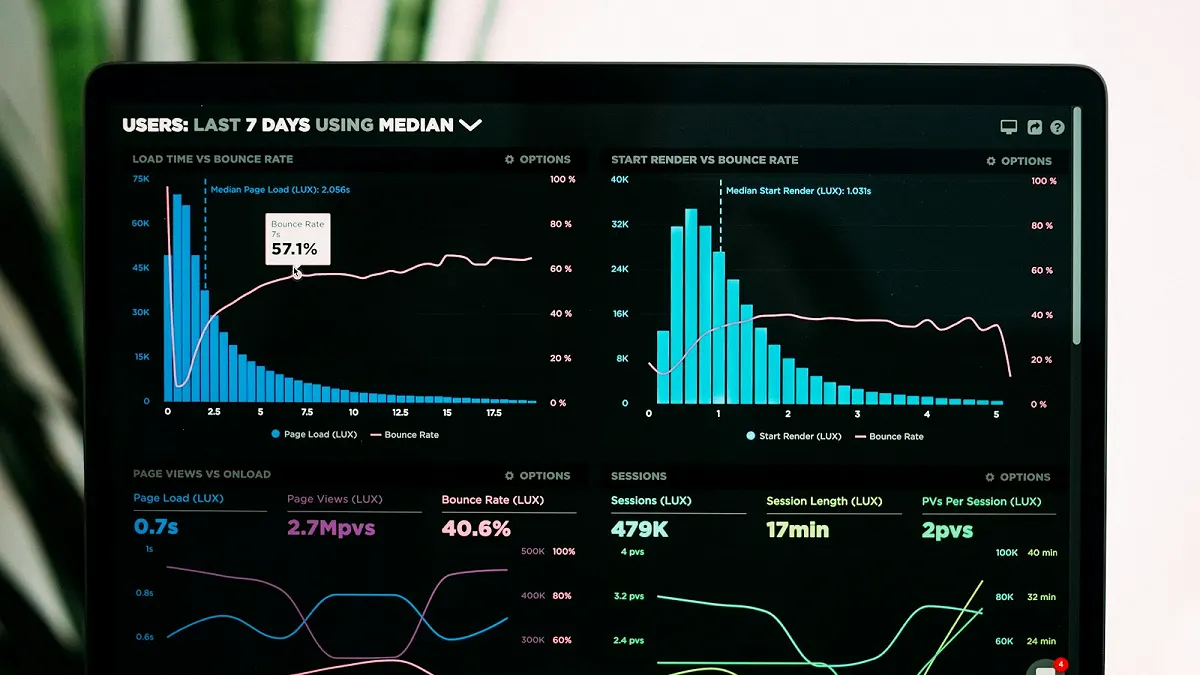
Photo 02
Useful groups include:
Action required
Missing or expired documents.
Awaiting review
New submissions requiring a decision.
Expiring soon
Current documents approaching expiry.
Current
Subcontractors satisfying their configured requirements.
This allows your team to work from exceptions rather than manually checking every company.
10. It should provide a simple export
Sometimes the information needs to leave the system.
A useful CSV export might include:
- subcontractor;
- contact;
- number of required documents;
- number currently satisfied;
- missing count;
- expired count;
- expiring count;
- overall operational status; and
- next expiry date.
For an SMB, that may be more useful than an elaborate custom reporting engine.
Spreadsheet vs subcontractor compliance software
The difference is easiest to see when you compare the workflow.
| Task | Spreadsheet + email | Dedicated software |
|---|---|---|
| Record subcontractors | Yes | Yes |
| Define required documents | Manually | Structured |
| Store status | Yes | Yes |
| Collect documents | Email / shared folder | Connected to requirement |
| Review submissions | Separate process | Pending / Approved / Rejected |
| Track expiry | Formulas / manual checks | Status-driven |
| Send reminders | Manual | Automated |
| Pause reminders after upload | Manual | Workflow-driven |
| Preserve previous submissions | Folder discipline | Document history |
| See what needs attention | Filtering / reconciliation | Exception view |
| Share process across team | Depends on spreadsheet | Shared operational state |
The point is not that spreadsheets are incapable of tracking data.
They are.
The difference is whether the system merely records the work or helps move the work forward.
Features you may not need
There are large contractor-management systems that handle far more than document collection.
They may include:
- project and site management;
- worker credentials;
- equipment;
- access control;
- permit-to-work processes;
- procurement;
- invoicing;
- ERP integrations;
- complex permissions;
- APIs and workflow builders.
Those features can be valuable for organisations that genuinely need them.
But if your problem is:
We need to keep company-level subcontractor documentation current.
then buying a platform designed to run an entire contractor ecosystem may introduce more implementation work than value.
A focused tool can be the better fit.
Questions to ask when evaluating software
Before buying, test the workflow with a real example.
Can we define our own requirements?
You should not be forced into somebody else's compliance checklist.
Can different subcontractors have different requirements?
They often should.
How easy is it for the subcontractor to respond?
Try it on a phone.
Does receiving a file automatically mark it as acceptable?
Ideally not. There should be a review step.
Can reviewers reject a document with a reason?
That makes replacement requests much clearer.
What happens before an expiry date?
Look for status changes and useful reminders.
What happens after a replacement is uploaded?
The system should understand that subcontractor follow-up may need to pause while your team reviews it.
Are old submissions preserved?
Replacing a document should not destroy history.
Can we immediately see what needs attention?
That is the entire point.
Does the product claim to make legal decisions for us?
Be cautious if it does.
Your organisation should remain responsible for determining its requirements and making substantive decisions.
What good software should make boring
The best outcome is a less noticeable process.
A certificate approaches expiry.
The subcontractor is reminded.
A replacement arrives.
Your team reviews it.
The old document is preserved.
The requirement returns to current.
Nobody builds a reminder list.
Nobody searches an inbox.
Nobody manually changes three spreadsheet cells.
The routine work simply happened.
A focused approach to subcontractor documents
Valar is designed for organisations that need this narrower workflow.
You define which company-level documents each subcontractor should provide.
Valar helps collect them through secure no-account upload links, keeps submissions in a review workflow, tracks expiry dates, preserves history and automates routine reminders.
It does not decide which documents you are legally required to collect.
It does not certify that a subcontractor complies with the law.
Your organisation makes those decisions.
Valar keeps the document process around them under control.
If the problem you want to solve is the spreadsheet, inbox, folder and reminder loop, you may not need a larger contractor-management platform.
See how to manage subcontractor documents without spreadsheets and how to automate requests and reminders.

Photo 03
Photo credits
- Photo 01 by John Schnobrich
- Photo 02 by Luke Chesser
- Photo 03 by Glenn Carstens-Peters
Put document tracking in one place
You define what you require. Subcontractors upload from a secure link. Your team reviews. Reminders handle the rest.